
Browse like nobody's watching — because nobody is.
Dhurta is a desktop browser built local-first: sessions live in memory or on your disk, never in someone else's cloud. No telemetry by default, no background sync you didn't ask for.
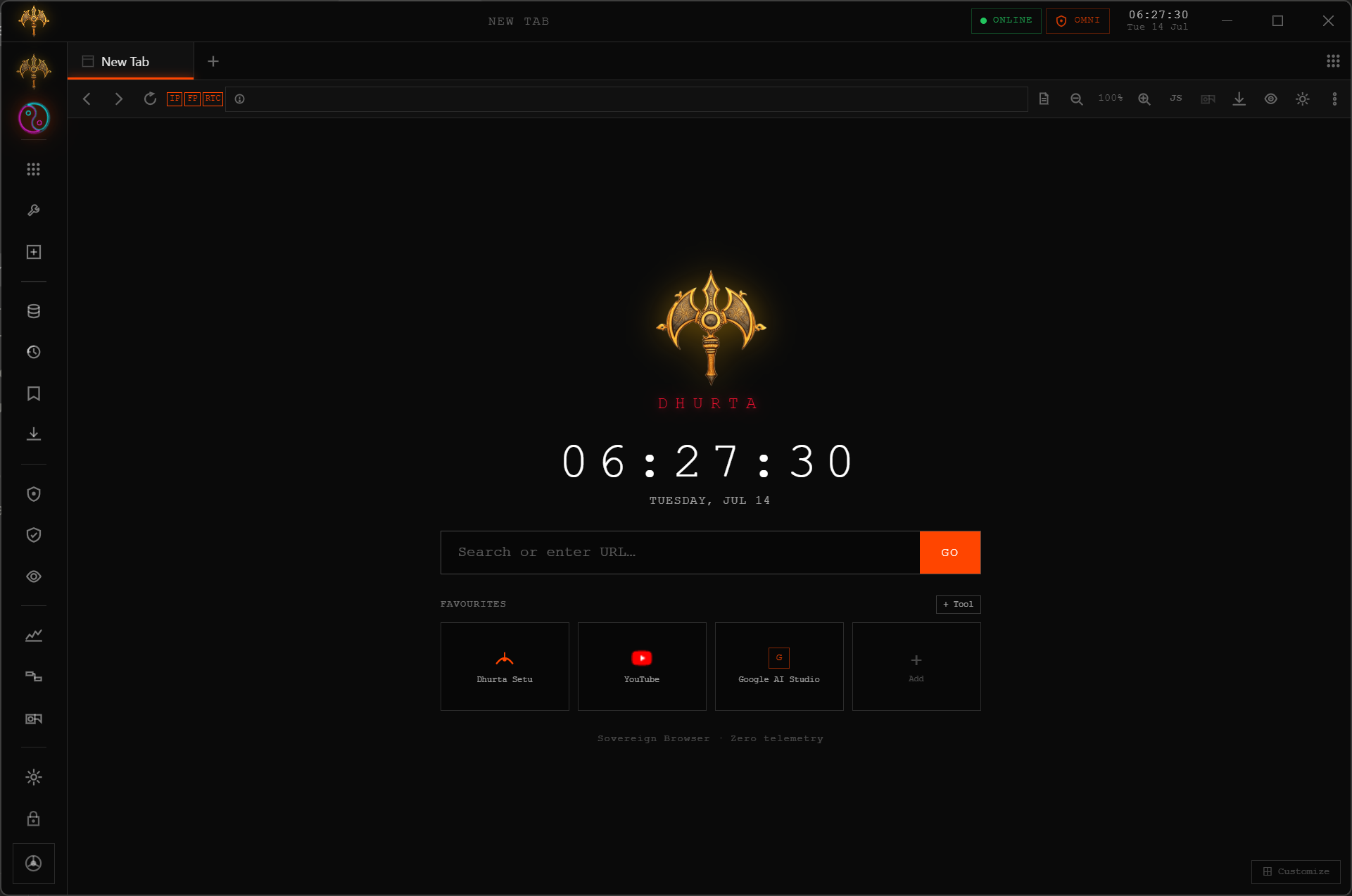
Real screenshot of Dhurta v1.0.8.
Everything routes back to one idea
Your data should default to staying with you. Every feature below is a different way of enforcing that.
Privacy
Ghost sessions, fingerprint noise, WebRTC blocking.
Speed
Chromium-grade rendering with none of the background bloat.
Control
Every security toggle is opt-in and visible — nothing silent.
Ownership
Local SQLite storage. No account required to use any feature.
A closer look at what ships today
The full breakdown — with every feature and what's still in development — lives on the Features page.
Ghost Mode
In-memory sessions that leave nothing behind on disk when the tab closes — no Tor circuit required.
Connect
Pair two Dhurta windows with a 6-digit code to move sessions directly, with no relay server in the middle.
Picture-in-Picture
Pop any video or whole page into a floating, always-on-top window with one click.
Download Dhurta
Fetching the latest release from github.com/prashantkeshr/Dhurta…
Every link above resolves to the real asset on GitHub's release servers — nothing is proxied or rehosted. Checksums shown are the SHA-512 values electron-builder publishes alongside each release, fetched live from the same release.
Four layers. Zero compromise.
Every session in Dhurta passes through independently verifiable protection layers — not marketing claims, not opt-ins. Defaults that protect.
Ghost Mode — Real Tor Onion Routing
Traffic exits through the Tor network — not a proxy, not a simulation. Verify it yourself at check.torproject.org from inside a Ghost tab. Session lives in memory; nothing written to disk.

Chakra Shield — Bundle Mode
One switch enables VPN + Anti-Fingerprint + WebRTC Block simultaneously. No partial activation. If VPN fails to connect, Dhurta warns you instead of silently falling back.
Anti-Fingerprint + WebRTC Block
Canvas, AudioContext, and font metrics return spoofed noise — making cross-site fingerprint tracking statistically incoherent. WebRTC is fully disabled so your real IP cannot leak through media APIs.
Local-Only SQLite — Zero Telemetry
All your data — history, bookmarks, settings, extensions — lives in a single SQLite file on your machine. Nothing is synced to Dhurta servers because there are none. Check the Transparency Dashboard to see every byte stored about you.
This is what browsing looks like when no one is watching — because nothing is watching.